Case study · Experience design · VR
Future City VR + EEG
An immersive walk through a future city, and a platform that captures, analyses, and visualises how people respond.
- Role
- Senior Product Designer · sole designer
- Scope
- VR, participants, simulation, and dashboards
- Timeline
- 3 months
A future city had to be walked before it was built. The VR session opened its key places and captured the response.
I was the sole designer on the project, responsible for shaping the experience end to end. I worked closely with the product, engineering, and research teams, owning design decisions across both the immersive VR experience and the supporting analytics platform.
The goal was twofold.
01
Explore the future city
Create an immersive VR experience that lets users explore the future city.
02
Read the response
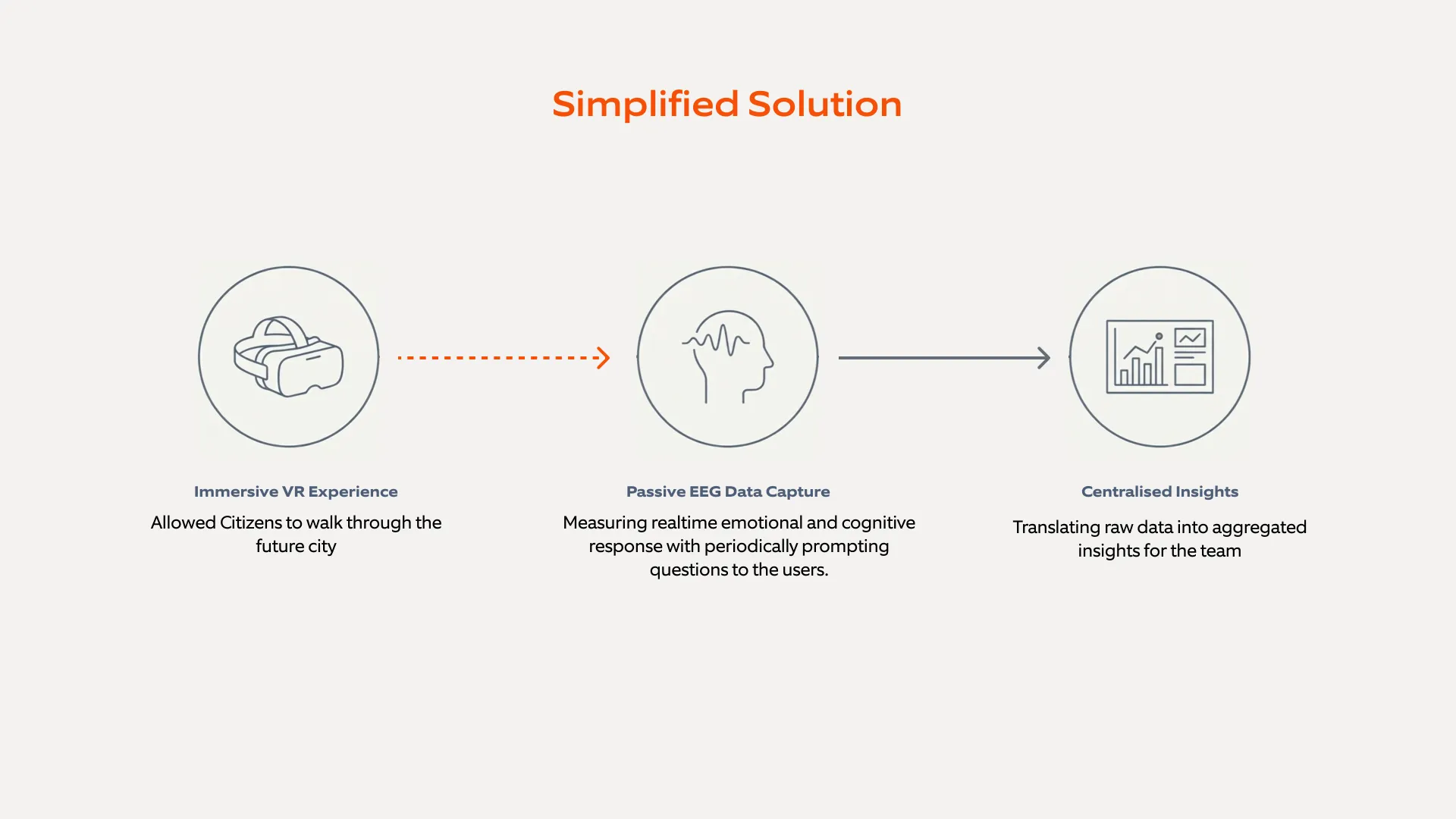
Build a unified platform to capture, analyse, and visualise emotional responses during that experience.
How might we let everyday residents experience a city that doesn’t exist yet? How might we capture how they feel in a form planners can trust and compare?
The solution
Planning
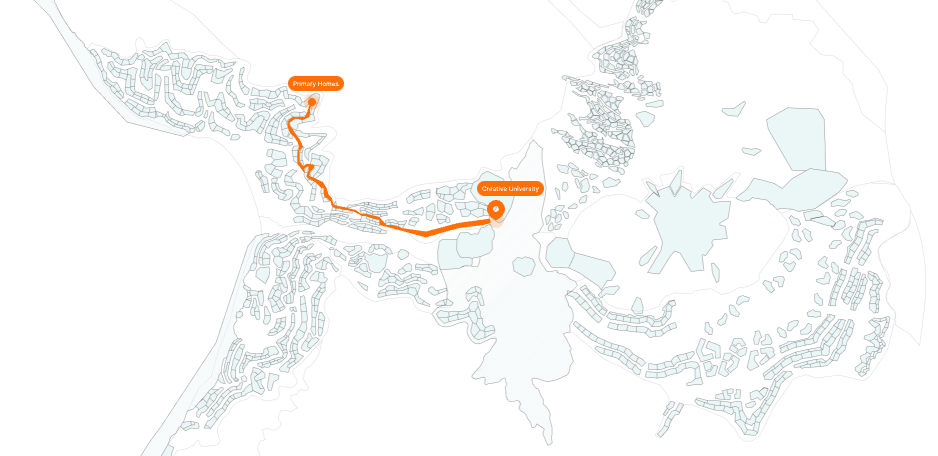
Predefined user routes
For all three cities, Module 45, Module 47, and Capital of Tiran, we mapped the route so people could walk them and get the best experience.
One experience, four roles.
- Admin
- Participant
- Raw Data Provider
- Urban Planner
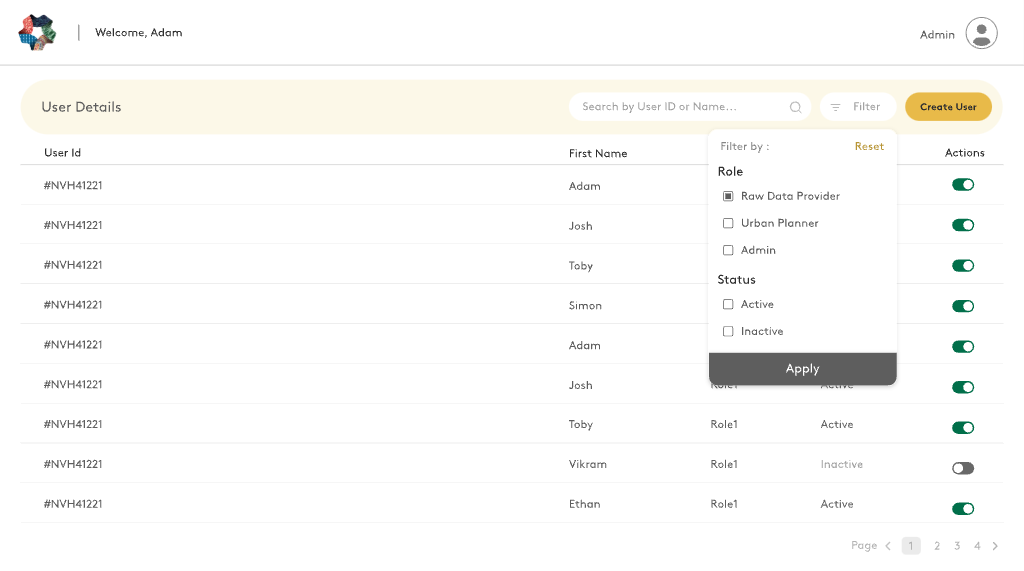
Four roles, one shared data flow. Admins managed access. Participants prepared and entered the city. Raw Data Providers kept the EEG record available for the people downstream. Urban planners set the world, the people, the time, and the environment.
01 / Administer
Keep roles explicit
Admins created users, assigned a role, and turned access on or off. Administration stayed a short list, not a second product.
02 / Configure
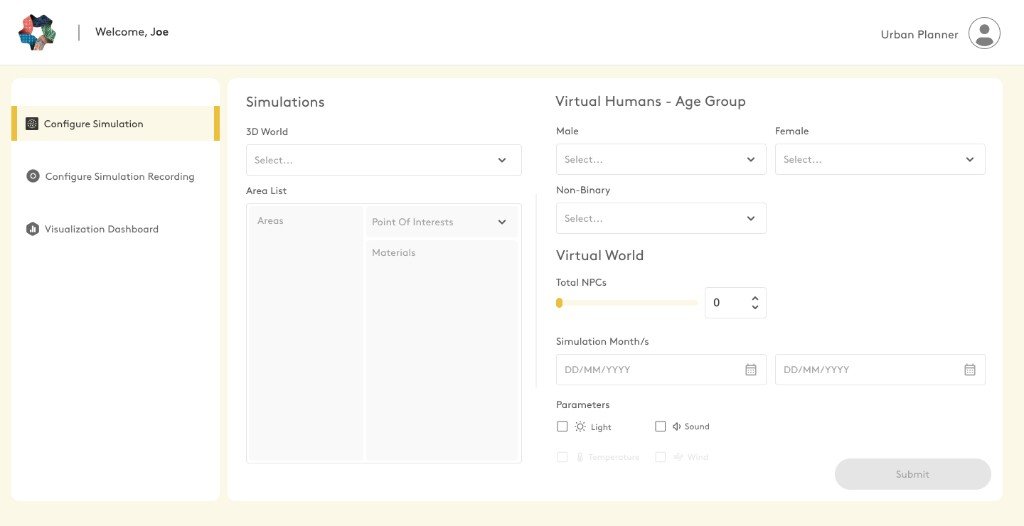
Configure the simulation
Planners chose a world, the areas and points of interest, who the virtual population was, how many, the period, and the situation for that session: time of day, light, cloud, and sound.
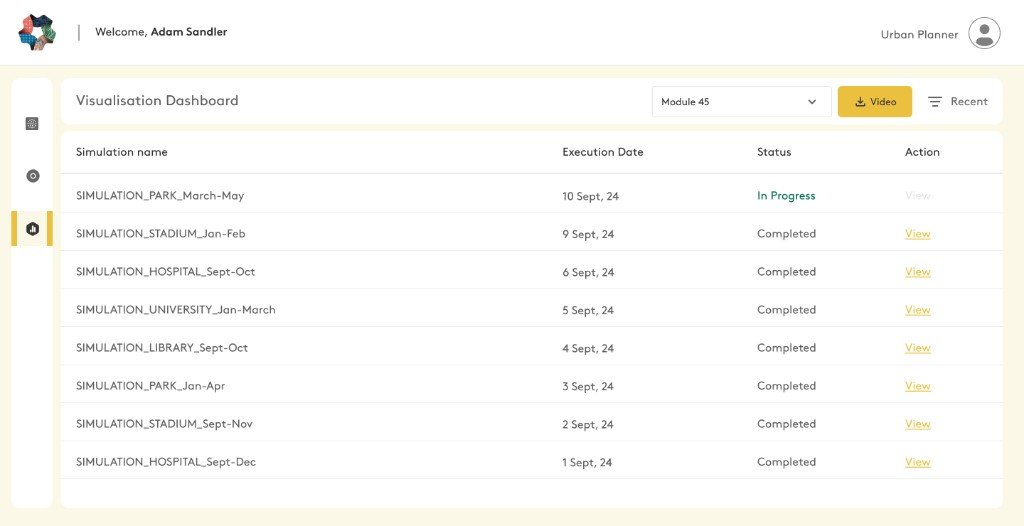
03 / Prepare
Track your progress
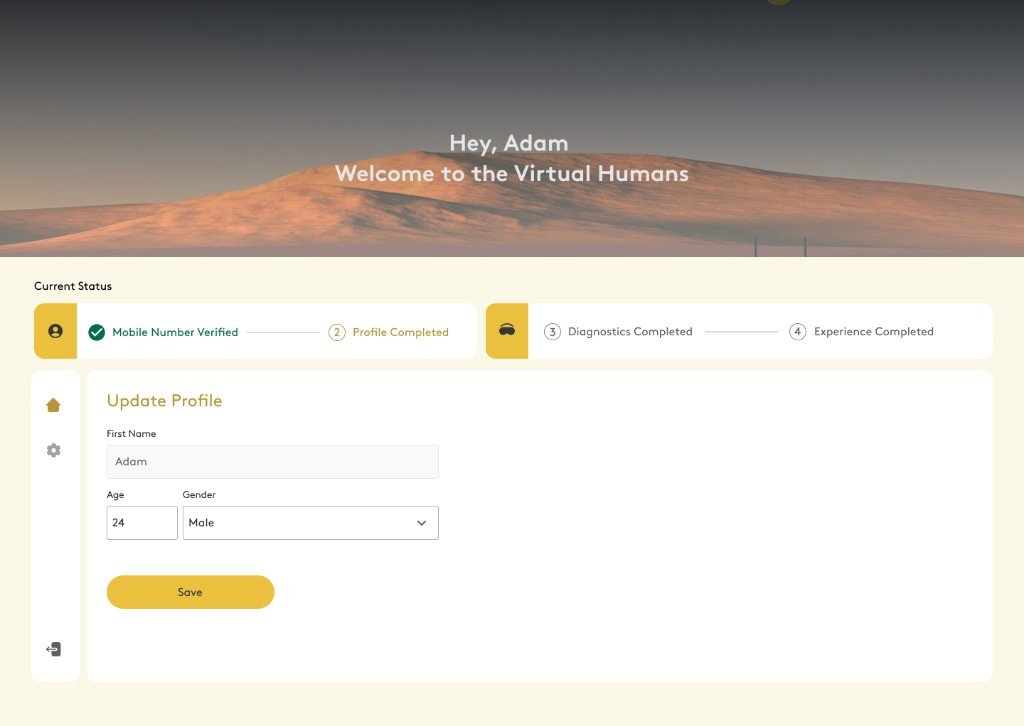
Participants had a separate dashboard to track their progress and update their profile, so the Urban Planner got accurate data.
04 / Diagnose
System diagnostics before users experience the city
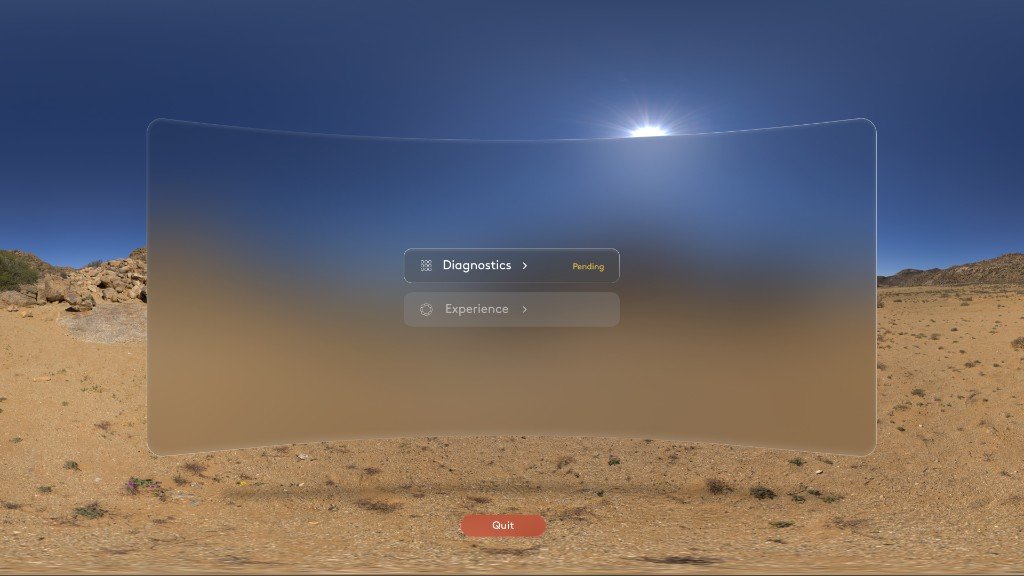
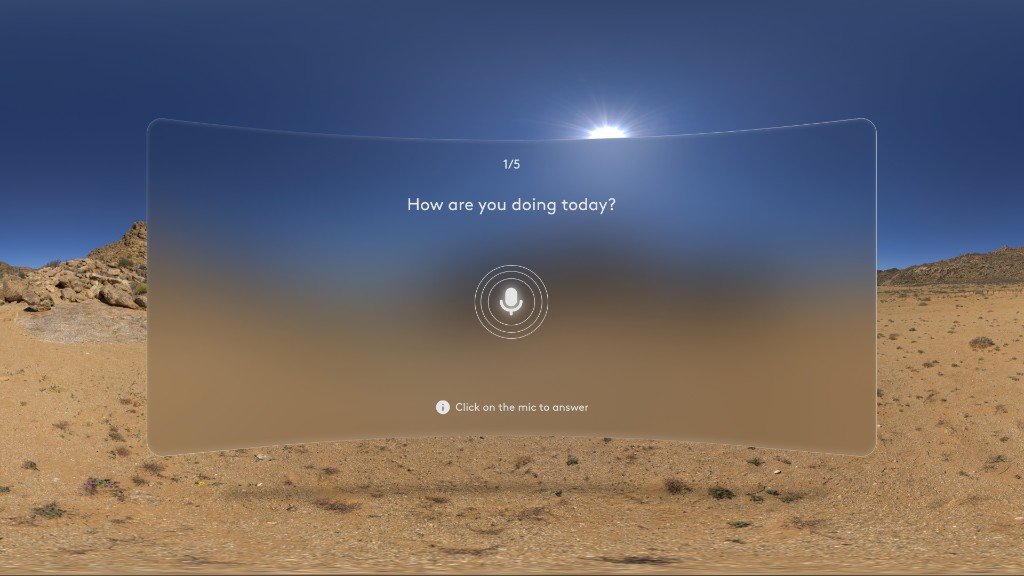
Once the headset is on, this is what they see. Diagnostics is open. The city stays closed until that step is done, and only then does the experience begin.
05 / Settle
Settle in: headset fit, guidance and comfort check
Before the city, the participant confirmed the headset felt right, or stopped and called a moderator.
06 / Experience
The VR experience of the city
Moving. A small group moved through the areas assigned to them, on foot or by teleport, across flat ground, stairs, and slopes. Seeing others. The other people in the group were visible nearby, and a virtual population filled the streets. Answering. Questions appeared in the place and were answered by voice. Knowing where you are. The same walk kept a record of where they were, the light and sound there, and the raw EEG. The controller guide stayed in the city, and a journey card held the current area, the destination, and the time spent.
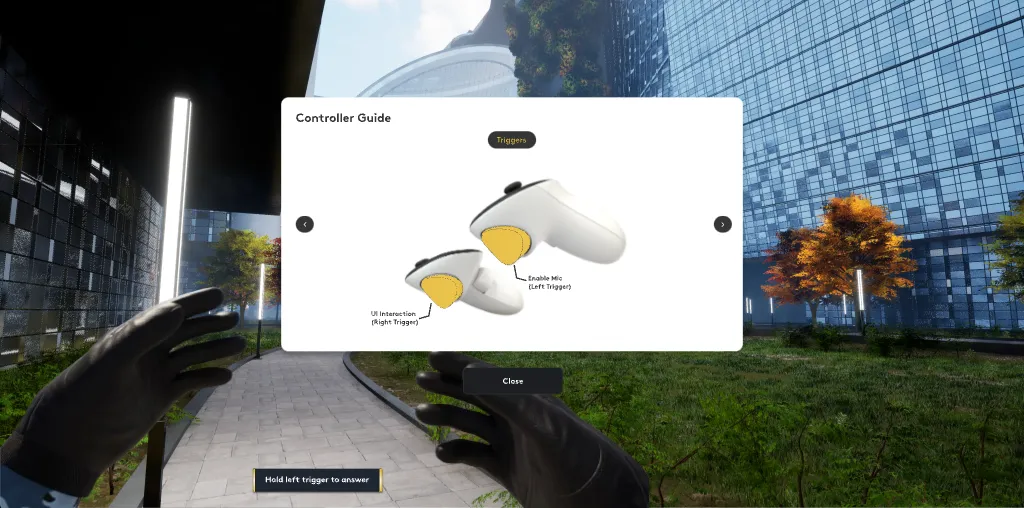
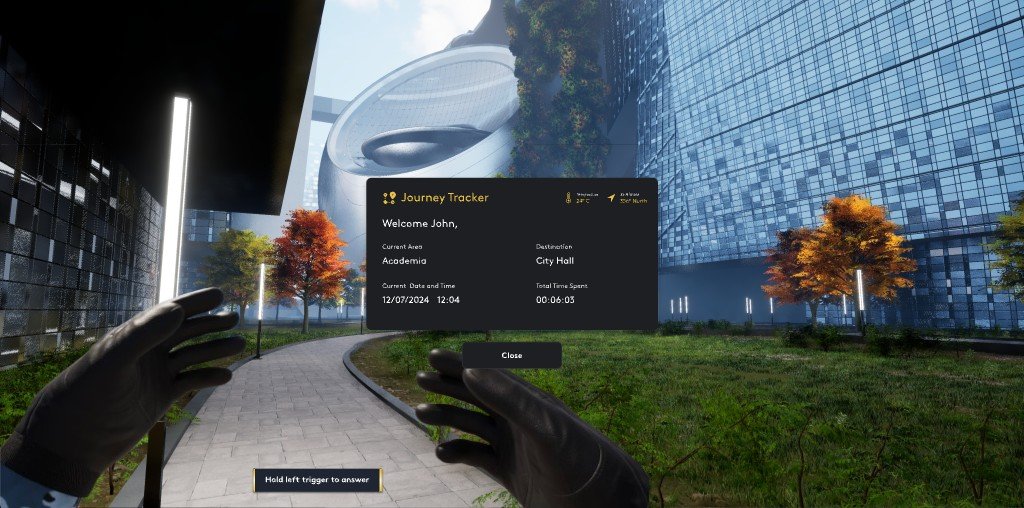
One kit for the web dashboards.
UI kit
A reusable kit for forms, tables, filters, and controls, shared by every dashboard.
One visual language
I also set the logo and the visual foundation, so the web tools and the VR moments read as one product.
Learnings
01
Passive signals and self-reporting
EEG captured a continuous emotional signal. Asking participants, at intervals, how they were feeling validated that signal and gave it context, without fully breaking immersion.
02
Timing of prompts
Prompts placed too often disrupted immersion and added noise to both the EEG and what people reported. Check-ins at natural transitions produced more consistent emotional insight, and still captured a conscious response.
03
Baseline mood
Mood at the start strongly shaped the emotional response in the early part of the VR journey. Pre-experience diagnostics were essential for reading those first peaks accurately.
04
Synthesis, not volume
The real challenge was not collecting more emotional input. It was aligning the EEG with what people reported, so the patterns were ones stakeholders could trust.
Next case study